
This automotive maintenance tutorial was specifically written to assist owners of the second generation (2017, 2018, 2019, 2020, 2021 and 2022) Mazda CX-5 SUV in changing a burnt out map light bulb located in the overhead console or upgrading both of the bulbs to brighter LED units.
Owners of other Mazda vehicles such as the CX-3, CX-30, CX-7, CX-9, Mazda3, Mazda6, MX-30, MX-5 Miata, Mazda2, CX-4, CX-8 and BT-50 may also find these DIY instructions to be helpful.
The compatible replacement festoon style light bulb is part number DE3175 which is available from various manufacturers such as Sylvania, Philips, GE and Eiko.
If you’d like to have brighter map lights that will also last much longer before burning out like the traditional incandescent bulbs, install some DE3175 LED units.
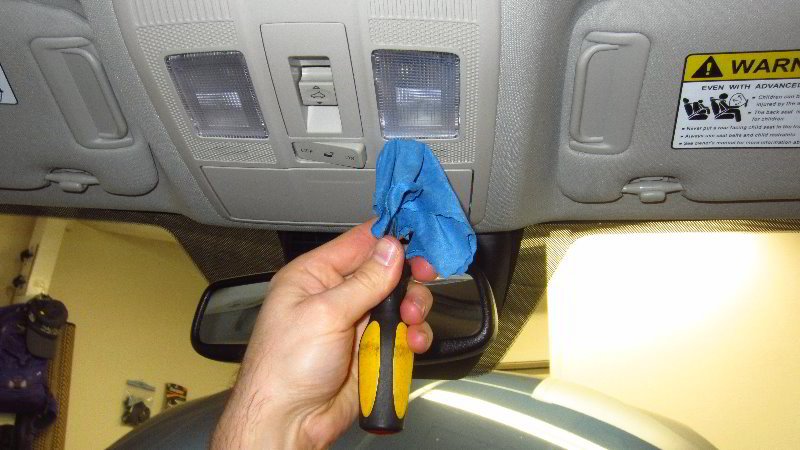
The only tool needed to access and replace the light bulbs is a small flat head screwdriver or a plastic pry bar tool.
To help prevent from scratching the plastic surfaces, you can either cover the tip of your screwdriver with a thin micro fiber cloth or instead use a plastic trim panel removal tool.
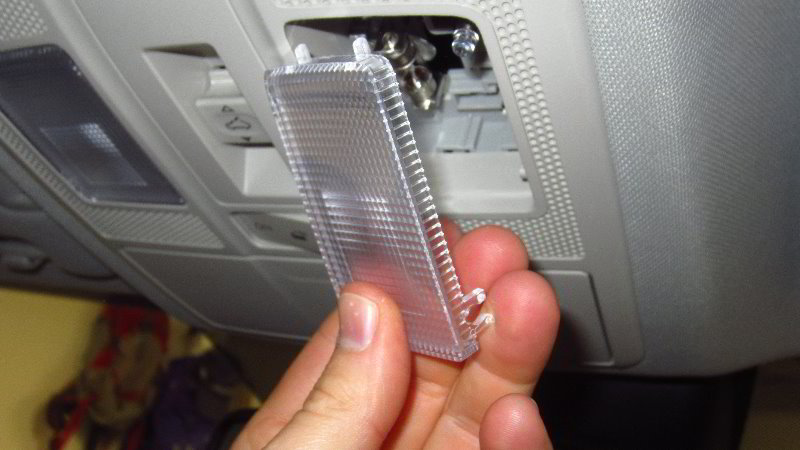
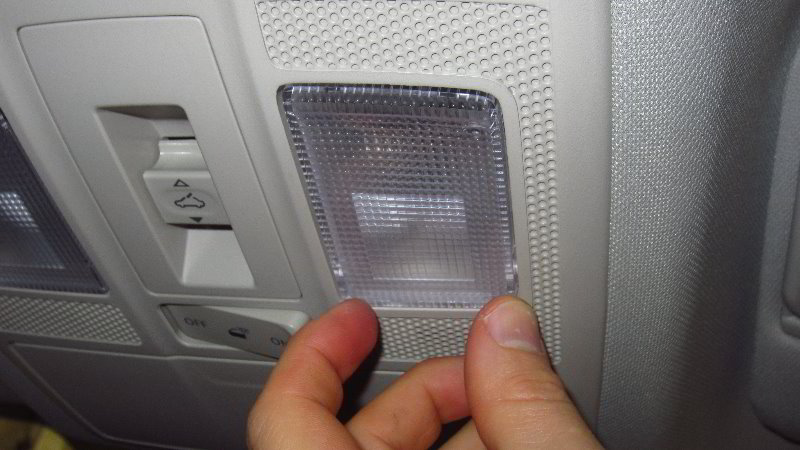
Insert the blade of the screwdriver or plastic tool in between the front edge of the lens cover (close to the windshield) and the overhead console.
Gently pry out the front edge of the lens cover (close to the windshield) to release the two “C” shaped retaining clips from their mounting posts.
Do NOT pry at the rear edge of the lens cover (closer to the back of the car) since there are two plastic tabs that could be broken.
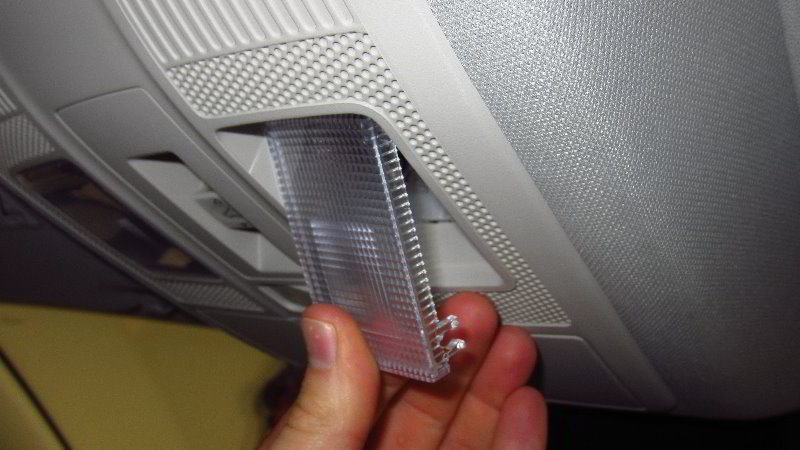
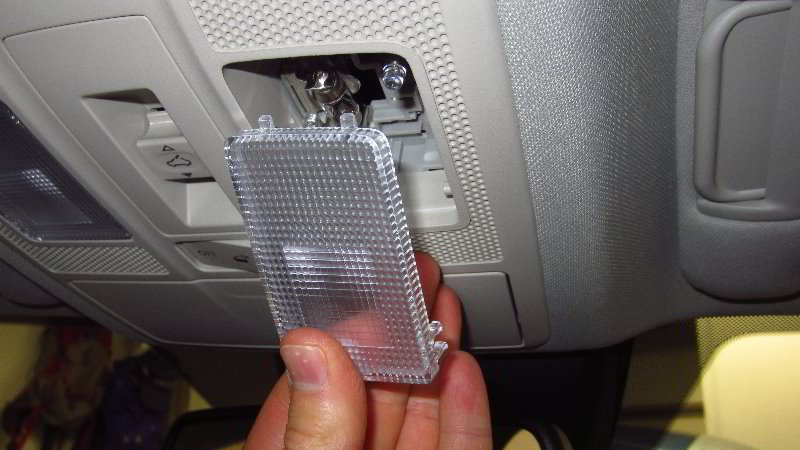

Once the two “C” shaped clips at the front edge are released, remove the two straight plastic tabs at the rear edge of the cover out of the overhead console.
Set the lens cover aside in a safe place.
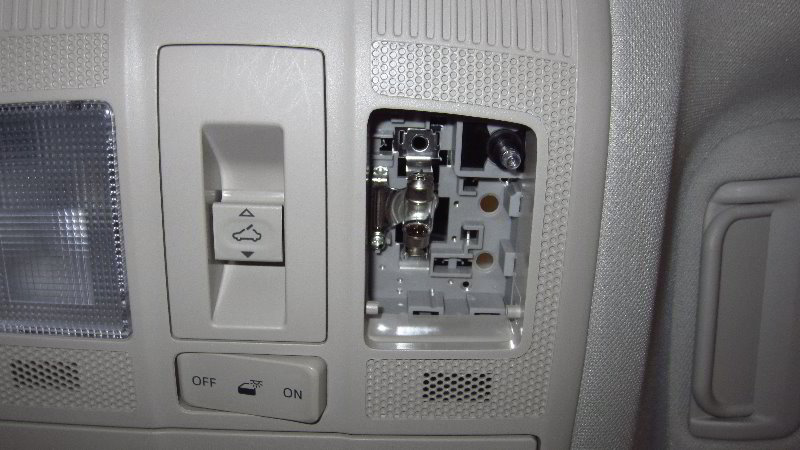
Once the lens cover is out of the way, you’ll be able to see the old light bulb in the socket.


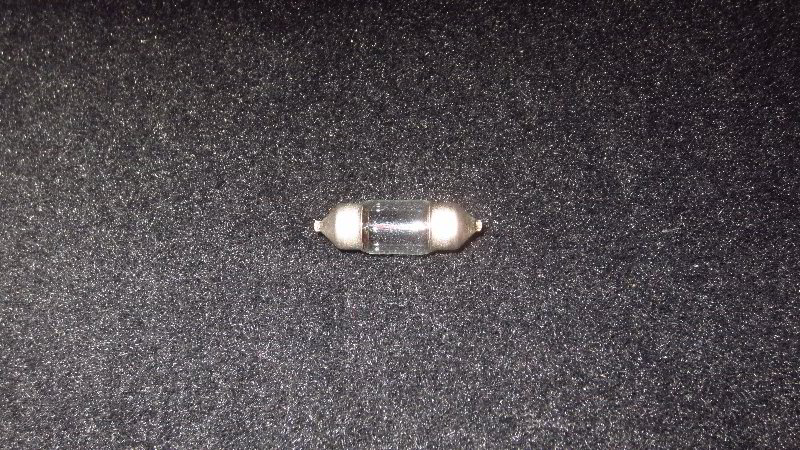
If the old light bulb was recently turned on, be careful when you remove it. The bulb might still be hot enough to burn your fingers.
Gently pull back the flexible rear electrical contact to release the old light bulb from the socket.
The OEM light bulb was marked as part number KHA12V8W 49A14C which can be replaced with the common DE3175 festoon style bulb.
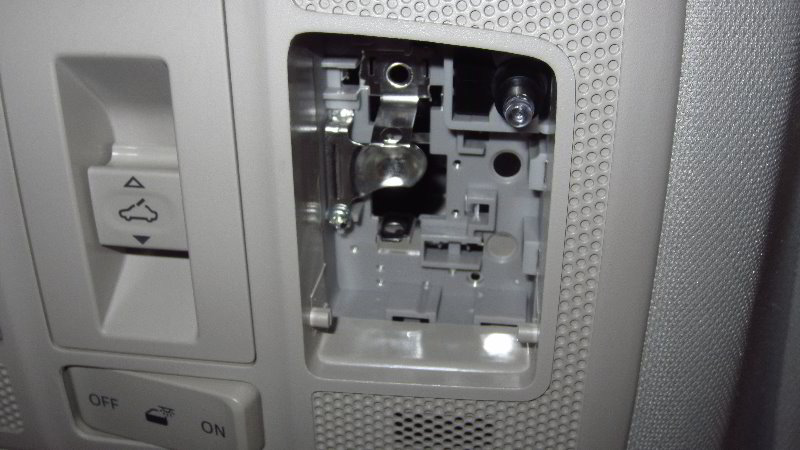

Install the new DE3175 light bulb into the holder in between the two electrical contacts.
If you’d like to have much brighter map lights, install some compatible replacement DE3175 LED units.
I recommend testing the new light bulb before you replace the lens cover.
Push the clear round plastic “On / Off” button to test the new light bulb.
Tip – If you installed an LED bulb and it doesn’t work, try removing it from the socket, rotate it 180 degrees and then push it back into the socket. Some LED bulbs are “polarized” and will only work when the “+” positive and “-” negative electrical contacts are in the correct orientation.
Line up the lens cover with the opening in the overhead console.
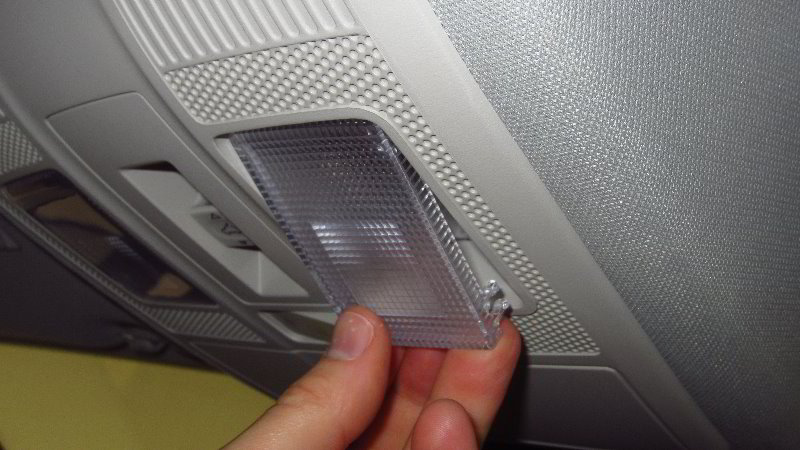
First, re-insert the two tabs on the rear edge of the lens cover.
Swing the front edge of the lens cover (closer to the windshield) up towards the overhead console.
Gently snap the two “C” shaped retaining clips on to their plastic mounting posts.
You should feel or hear the retaining clips “click” securely into place.
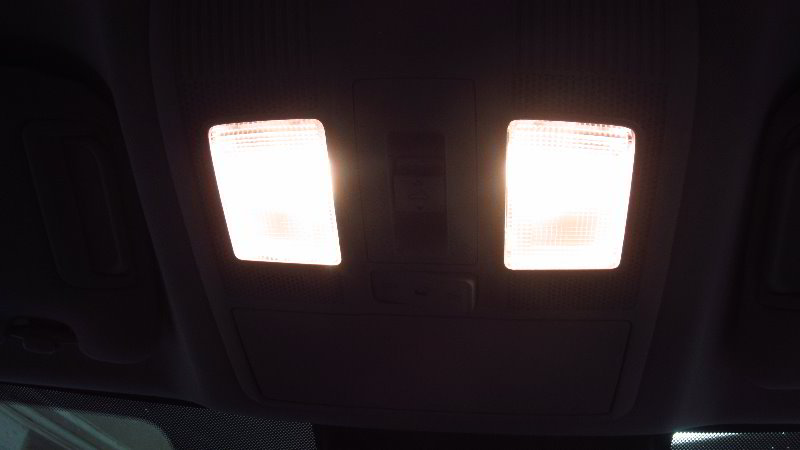
Double check that the new light bulbs are working by pushing on the rear edge of the lens cover to activate the “On / Off” switches.
Be sure to write down the procedure in your vehicle’s service records.
Please check out all of my 2017-2022 Mazda CX-5 DIY Repair & Maintenance Guides.